AlbumVault vs Google Photos Locked Folder
The short version
Locked Folder is free in Google Photos on Android, iPhone and the web, and keeps sensitive photos out of your grid, search and other apps. It opens with your phone’s screen lock, so anyone who knows that lock can open it.
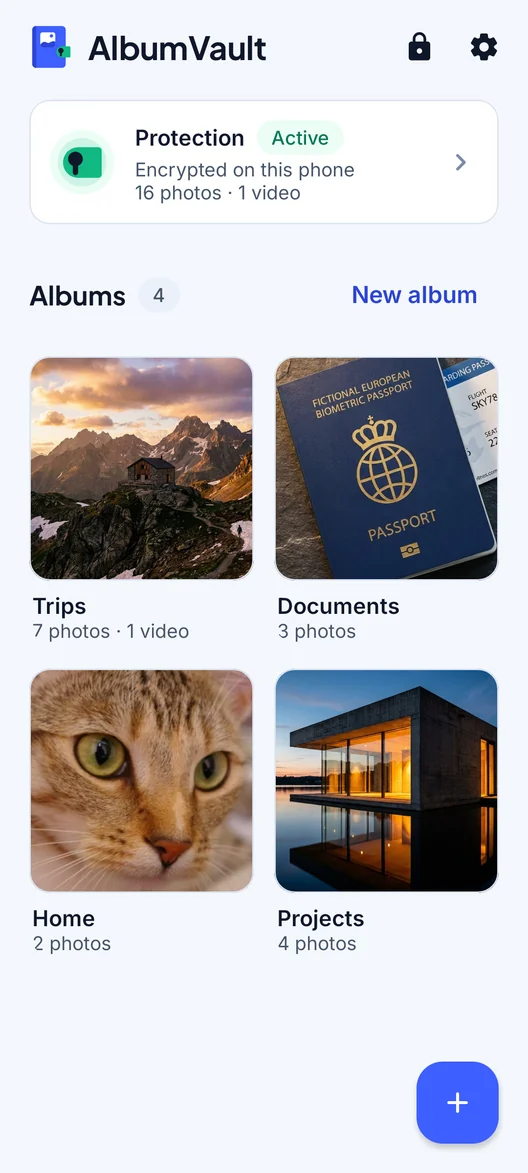
AlbumVault Unlock by drawing a pattern on a 5×5 grid of dots, using at least 6 dots. Prefer numbers? A PIN of 6 to 12 digits works too.
On this page
Side by side
Google Photos Locked Folder details checked on 24 October 2026 from the sources linked in each row. Apps change; check the source before you decide.
If you use Google Photos, you already have a private folder. Locked Folder is free, works on Android, iPhone and the web, and keeps sensitive photos out of the places people usually see them. Whether it is enough comes down to one question: does anyone else know your screen lock?
What Locked Folder does well
- Free and built in. It is part of the Google Photos app. Google Photos itself is free.
- Out of sight, including from other apps. Items in Locked Folder don’t appear in the Photos grid, memories, search or albums, and other apps with access to your photos and videos can’t see them.
- Nothing new to remember. It opens with your phone’s screen lock on Android, or Face ID, Touch ID or your passcode on iPhone.
- Optional cloud backup. Google began rolling out Locked Folder backup on 29 August 2023. With backup on, you can open your Locked Folder from other devices where you are signed in to your Google Account.
- Wide availability. Android 6 or later, iOS 15 or later, and photos.google.com. On a Pixel 4 or later, you can save photos straight from the camera.
When Locked Folder is enough
Locked Folder is a good fit when your main concern is private photos showing up in your gallery, in memories, or in other apps that can read your photos. It works best when:
- Nobody else knows your screen lock.
- You either back up the folder or accept that it lives only on one phone.
- You are comfortable with Google’s standard protection for your photos.
Decide on backup first
This choice matters more than any other setting:
- Backup off: items stay only on that device. They are deleted if you factory reset the device, clear the Photos app’s data or delete the Photos app. If you move photos that were already backed up into Locked Folder while its backup is off, their Google Photos backups are deleted.
- Backup on: you can open the folder from other signed-in devices, and backed-up items count toward your storage quota. Each Google Account includes up to 15 GB, shared across Gmail, Google Drive and Google Photos.
Where they differ
Who can open it
Google is direct about this: your Locked Folder password is the same as your device screen lock, you can’t use a different one, and people who have access to the screen lock can unlock the folder. On iPhone, the same goes for Face ID, Touch ID or the device passcode.
AlbumVault Every pattern or PIN leads to exactly one vault, and a vault can have more than one way in. A pattern that belongs to no vault opens nothing. Face ID or fingerprint can open at most one vault. Your other vaults always need their pattern.
Encryption and the cloud
Google says Locked Folder is protected by Google Photos’ standard encryption practices, which include HTTPS and encryption at rest. It does not say that backups are end-to-end encrypted, or who holds the keys.
AlbumVault Every photo and video is encrypted on your phone before it is saved. Save an encrypted backup file of a vault to Files, a computer or a drive you trust. Only its 12-word recovery phrase opens it.
Losing the phone or the app
Without backup, Locked Folder lives and dies with that one phone. Any vault kept only on one phone carries the same risk, so decide on backup whichever you use.
AlbumVault Vault files are left out of your phone’s own iCloud or Google device backup. Backing up a vault is a separate, encrypted step you control. The hardware key cannot move to a new phone, so on a new phone, or a phone restored from a backup, a vault opens only with its recovery phrase. Keep the phrase safe before you switch phones.
Sharing and editing
While items are in Locked Folder, you can’t share them, edit them or add them to albums; you move them out first.
Decoys and extras
Google does not describe a decoy folder, break-in photos or a disguise for Locked Folder.
AlbumVault A guest vault (Pro) is a second pattern that opens a separate vault with only what you put there. Break-in photos (Pro): after 3 wrong tries AlbumVault can take a front-camera photo, encrypted so only your vault can open it.
Store privacy labels
These cover the whole Google Photos app, not Locked Folder alone. Google Play’s Data safety section says no data is shared with third parties and lists an independent security review; it also says the app may collect location, personal info and 8 other data types. The US App Store label lists many data types as linked to you, and under third-party advertising it lists photos or videos and user ID.
AlbumVault The apps contain no analytics, ad or tracking SDKs. Purchases use Apple’s or Google’s own in-app purchase.
Where it is not available
Google says Locked Folder is currently unavailable on fully managed devices and for certain account types.
Prices and ratings
Google Photos is free, and Locked Folder has no separate price. As seen on 24 October 2026 in the US stores, for the Google Photos app as a whole:
- App Store: storage purchases include 100 GB at $1.99, 200 GB at $2.99, Google AI Plus (2 TB) at $9.99 and 100 GB for 1 year at $19.99. Rating 4.8 from 1.6 million ratings.
- Google Play: rating 4.4 from 54.2 million reviews, with more than 10 billion downloads.
AlbumVault Free: 1 vault, up to 100 photos and 10 videos, encrypted backup file included. Pro: as many vaults as you want, including the guest vault, with no limit on photos and videos.
Which to choose
Stay with Locked Folder if:
- You mainly want private photos out of your gallery, memories and other apps.
- Nobody else knows your screen lock.
- You want something free that is already in Google Photos.
- You want the folder on several devices through your Google Account.
Consider AlbumVault if:
- Someone else knows your screen lock, such as a partner, a child or someone you share the phone with.
- You want a separate vault to show when you hand your phone over (a Pro feature).
- You want a backup that only your recovery phrase opens.
Limits to know on the AlbumVault side
AlbumVault does not hide that some private data exists: your phone’s storage settings, and a forensic examiner, can still show that. Deleting is not shredding: a lab that images the phone may recover deleted bytes. Use AlbumVault to keep people out of your photos, not to beat a forensics lab.
AlbumVault cannot protect against malware or a jailbroken or rooted phone running code while the vault is open, against what is on screen or shared out once decrypted, or against someone deleting files they can reach (they can destroy data, not read it).
Questions
Can I set a different password for Locked Folder?
No. Google says your Locked Folder password is the same as your device screen lock, and you can’t use a different one. Every pattern or PIN leads to exactly one vault, and a vault can have more than one way in. A pattern that belongs to no vault opens nothing.
Is Locked Folder backed up?
Only if you turn on backup. Items you don’t back up stay only on that device and are deleted if you factory reset the device, clear the app’s data or delete the Photos app.
Is Locked Folder end-to-end encrypted?
Google says Locked Folder is protected by Google Photos’ standard encryption practices, which include HTTPS and encryption at rest. Google does not state that it is end-to-end encrypted.
Does Locked Folder use my Google storage?
Yes, for backed-up items. They count toward your storage quota, which is up to 15 GB per Google Account, shared across Gmail, Google Drive and Google Photos.
Keep reading
Password-protect a folder on iPhone
The Hidden album and locked apps open with your phone’s passcode. A locked note can have its own password, and a vault app adds a separate lock.
SituationHanding your phone to someone without showing everything
Once your phone is unlocked in someone else’s hand, anything not locked on its own is open. Here is what to hide, lock or send instead.
GuideHow to choose a photo vault app
This page ranks no apps. It gives eight checks that separate an encrypted vault from a hidden folder, and what eight options state.