Photo privacy, answered plainly
How hiding, locking and backing up photos really works on iPhone and Android, with the settings to change and the sources to check.
Forgot your photo vault password?
Whether you can get back in depends on how the app locks your files, and on the recovery option you set up in advance.
Password-protect a folder on iPhone
The Hidden album and locked apps open with your phone’s passcode. A locked note can have its own password, and a vault app adds a separate lock.
How to choose a photo vault app
This page ranks no apps. It gives eight checks that separate an encrypted vault from a hidden folder, and what eight options state.
How to hide photos on iPhone
Touch and hold a photo, tap Hide and confirm. Anyone who knows your passcode can still open the Hidden album.
AES-256 encryption, explained
No practical attack on AES-256 itself is publicly known. What matters is the mode, how your password becomes a key, and who holds it.
Are iCloud Photos encrypted?
Yes, but by default Apple holds the keys. Advanced Data Protection makes Photos end-to-end encrypted, with a few exceptions.
Are photo vault apps safe?
Some vault apps protect your photos well and some mostly hide them. You can usually tell which before you install.
Do hidden photos go to iCloud?
Yes. With iCloud Photos on, a hidden photo syncs like any other and shows up in the Hidden album on your other devices.
Does Stolen Device Protection protect your photos?
Partly. Away from familiar places it stops a thief who knows your passcode from erasing the phone, but Apple does not list the Hidden album.
How calculator vault apps work
A calculator disguise hides what the app is, not what is in it. Encryption, code resets and backups are what protect your photos.
How to remove location from your photos
Turn off Location in the share sheet, stop the Camera recording where you are, and clean files before you email them.
iPhone privacy settings that protect your photos
Start with three settings: limit each app’s photo access, stop the Camera recording your location and keep the Hidden album locked.
Locking apps with Face ID: what it hides
Since iOS 18 you can lock or hide apps behind Face ID. Your passcode still opens them, and hidden app names still show up.
Plausible deniability apps, explained
A decoy vault can hide which vault is real, but not that data exists. Storage size and traces on the phone can suggest more.
What is zero-knowledge encryption?
Your data is encrypted on your own device with a key the service never gets. It is strong, but nobody can reset your password for you.
Which apps can see your photos?
Any app you have allowed. Check the list in your privacy settings and give each app the least photo access it needs.
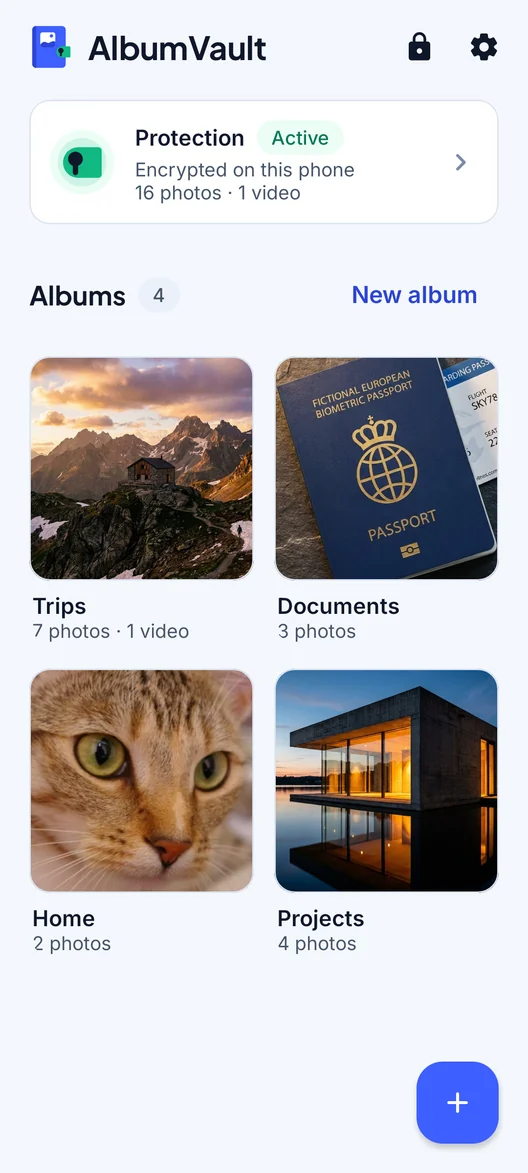
AlbumVault for iPhone and Android
A vault for the photos that are nobody else’s business
- Encrypted on this phone
- Each pattern leads to one vault
- No account needed

 Coming soon to both stores