Crossing a border with your phone
Written for anyone traveling abroad with a phone, especially into the United States
Short answer
In the US, a CBP officer may look through your phone at the border with or without suspicion, and may detain a device that cannot be inspected because of a passcode or encryption. The search covers what is stored on the phone, not data held only in the cloud. The practical preparation is to carry less and follow lawful instructions.
On this page
This article covers the rules of US Customs and Border Protection (CBP), because CBP publishes its device-search policy in detail. Since 1 January 2026, CBP searches of phones, laptops and other devices follow Directive 3340-049B, which supersedes Directive 3340-049A. Every other country sets its own rules. What follows describes CBP’s published policy, mostly in its own words. It is not legal advice.
What a US border search of your phone can include
CBP’s policy separates two kinds of search.
Basic search
CBP describes a basic search as “an officer reviewing or analyzing the contents of the device manually without the assistance of any external equipment.” In plain terms: an officer holds your phone and looks through it. Section 5.1.3 of the directive says an officer may do this “with or without suspicion.”
Advanced search
An advanced search is “any search in which an officer connects equipment, wired or wireless, to copy, and/or analyze the contents of an electronic device.” Under CBP policy it needs reasonable suspicion of a violation of a law CBP enforces, or a national security concern. It also needs approval from a senior manager at Grade 14 or higher, or a manager with comparable responsibilities, before the search starts.
One detail matters. CBP says that using equipment only to make a device’s contents available for inspection, for example “to bypass a password, overcome encryption” or to charge the device, does not by itself count as an advanced search.
| Question | Basic search | Advanced search |
|---|---|---|
| What happens | An officer looks through the device by hand | Equipment is connected to copy or analyze the contents |
| When it is allowed | With or without suspicion | Reasonable suspicion or a national security concern, plus a senior manager’s approval |
How often it happens
CBP reports that in fiscal year 2025 it searched the devices of 55,318 travelers. That is about 0.47% of secondary inspections and less than 0.01% of all arriving international travelers. Of those searches, 50,922 (92%) were basic searches.
What is in scope: the phone, not the cloud
CBP’s page is specific: “The border search will only include an examination of information that is resident upon the device at the time it is presented for inspection. CBP officers may not use the device to access information that is solely stored remotely.”
To keep it that way, officers will either ask you to disconnect the phone from networks, for example by switching on airplane mode and turning off Bluetooth and Wi-Fi, or do it themselves. Any passcode you provide is used for the search. CBP says it is then “deleted or destroyed” when no longer needed, and may not be used to reach information that is only stored remotely.
For your photos, this means anything saved on the phone itself, such as the photo library, downloaded files and app data, is part of what an officer can look at. Data that lives only on a server is outside the border search, according to CBP’s policy.
CBP may keep copies of information after the search ends in two cases: if there is probable cause to believe it contains evidence of a violation of a law CBP enforces, or if it relates to immigration, customs or other enforcement matters.
If the phone stays locked: citizens and visitors are treated differently
CBP expects travelers to present devices in a condition that allows inspection. Its page says that if a device “cannot be inspected because it is protected by a passcode or encryption or other security mechanism, that device may be subject to exclusion, detention, or other appropriate action or disposition.” Section 5.3.3 of the directive adds that the officer may detain the device while its admissibility, exclusion or other disposition is decided.
Note the wording: “a passcode or encryption or other security mechanism.” CBP’s page doesn’t say how this applies to an encrypted app on an otherwise unlocked phone. If that matters to you, ask a lawyer before you travel.
The consequences depend on how you are entering:
| You are entering as | What CBP says |
|---|---|
| A US citizen | You “will not be denied entry into the United States” because CBP could not inspect your device. The device can still be detained. |
| A foreign national | CBP “may consider” the refusal and the inability to inspect the device “when making admissibility decisions and may take appropriate law enforcement actions.” |
An admissibility decision is the decision whether to let a foreign national into the country. If you are not a US citizen and have questions about your own situation, ask an immigration lawyer before you travel.
How to prepare before you travel
- Check the rules for every country on your route, including countries you only pass through. Use each border agency’s official website.
- Back up the phone before you leave. CBP can detain a device. A recent backup means a held phone does not cost you your photos.
- Carry less. Decide what you need on this trip. Photos, documents and chats you do not need can stay in that backup at home instead of on the phone. CBP’s policy covers what is on the device when you present it.
- Know your status. As the table shows, citizens and foreign nationals face different consequences.
- Ask first if you carry confidential work material. If your phone holds client, patient or source material, ask your employer or a lawyer what applies to you before the trip.
At the border: comply, and don’t mislead
Answer questions truthfully and follow lawful instructions. Expect to be asked to switch on airplane mode, and possibly to unlock the phone. If you think something went wrong, write down what happened, when and where, and get legal advice afterwards.
Some vault apps offer a guest code that opens a prepared set of harmless photos, or an emergency code that removes access to everything else on the phone. Those features exist for situations such as a stranger forcing you to open your phone. They are not for lawful searches. Do not use a guest code, a decoy or a wipe feature to mislead a border officer, and do not use one to destroy data during an inspection.
What a separate-key vault adds, and what it does not
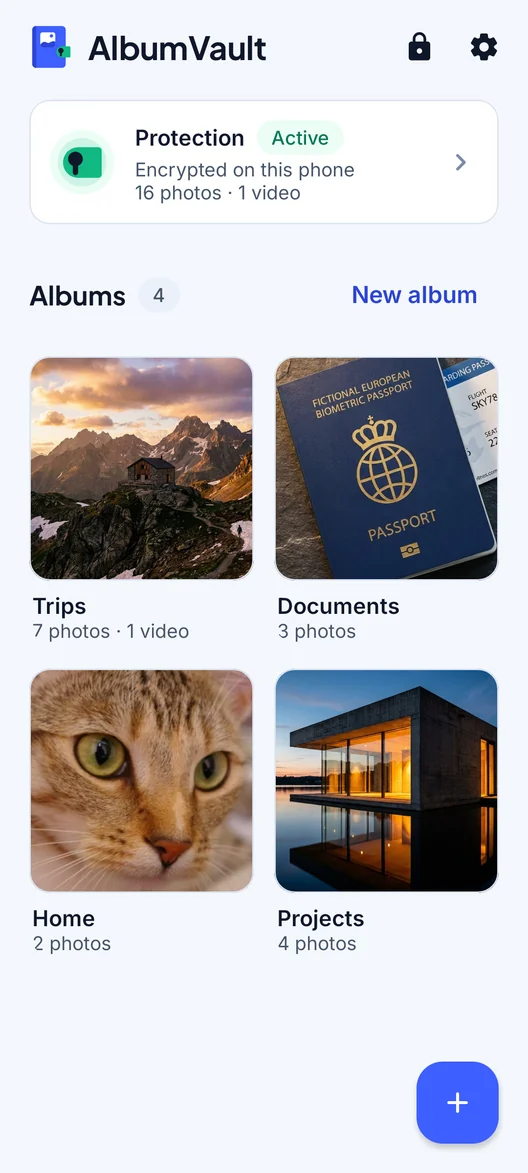
A vault app that encrypts with its own key, separate from your phone’s passcode, is useful on any trip for ordinary reasons. Phones get lost and stolen while traveling. A thief who watched you type your passcode in a café still faces a second lock on the vault.
What it does not do:
- It does not change the border rules. CBP’s policy names encryption explicitly, and the consequences of not opening a device are the ones described above.
- It does not hide that the app is installed. On iPhone, Apple says even the names of hidden apps can appear in Settings > Apps > Hidden Apps, Screen Time, Battery, and App Store purchase history.
- It does not replace carrying less. Data that is not on the phone is outside a border search. Data in an encrypted vault on the phone is still on the phone.
Checklist
- Read the official rules for each country you enter or pass through.
- Back up your phone before you leave.
- Leave what you don’t need for the trip in that backup, not on the phone.
- Know whether you are entering as a citizen or a foreign national.
- At the border, tell the truth and follow lawful instructions.
- Never use a decoy, guest or wipe feature during a lawful search.
Questions
Can US border officers search my phone without a reason?
For a basic search, yes. CBP Directive 3340-049B says an officer may do a basic search, a manual look through the device, with or without suspicion. An advanced search, which connects equipment to copy or analyze the phone, needs reasonable suspicion or a national security concern and a senior manager’s approval.
Can CBP look at my iCloud or Google Photos at the border?
CBP says a border search covers only information on the device when you present it, and officers may not use the device to reach information stored only remotely. Officers will ask you to switch off network connections, or switch them off themselves.
What happens if I don’t unlock my phone at the US border?
CBP may detain the device. A US citizen will not be denied entry because the device could not be inspected. For a foreign national, CBP may weigh it when deciding whether to admit them. This is a summary of CBP’s published policy, not legal advice.
Do the same rules apply in other countries?
No. This article covers US CBP policy only. Check the official border agency of each country you enter or pass through, and follow lawful instructions there.
Keep reading
Protecting a source who sends you photos
A photo can reveal where and when it was taken and on which phone. Don’t rely on the app to strip that; clean files yourself.
SituationHanding your phone to someone without showing everything
Once your phone is unlocked in someone else’s hand, anything not locked on its own is open. Here is what to hide, lock or send instead.
GuideAre iCloud Photos encrypted?
Yes, but by default Apple holds the keys. Advanced Data Protection makes Photos end-to-end encrypted, with a few exceptions.