Protecting a source who sends you photos
Written for journalists, researchers and anyone who must keep the sender of a photo anonymous
Short answer
A photo can carry where and when it was taken, the phone model and its software version, and sometimes a record of its edits. Some channels pass all of that along, and published tests disagree about others, so don’t rely on the app to clean it. Ask sources to turn off camera location, clean files yourself before publishing, and keep originals out of your synced photo library.
On this page
A source sends you a photo of a document, a meeting room or a protest. Before you publish it, or even forward it to an editor, the file itself may say more about the sender than the picture does. This article covers what is in the file and how channels treat it. It is not legal advice: rules on protecting sources differ from country to country, so ask your newsroom’s lawyer about yours.
What a photo file can say about the person who took it
Phone photos can carry Exif metadata. In a JPEG, the Library of Congress explains, Exif sits in application marker segments (APP1 and APP2) inside the file. The standard is maintained by JEITA and CIPA; the current version is Exif 3.1, published by CIPA in 2026.
Fields that matter for a source:
- Location. GPS tags such as GPSLatitude, GPSLongitude and GPSAltitude are part of Exif. Apple says that when the Camera app has Location Services access, coordinates “are embedded into each photo and video.”
- Time. DateTimeOriginal records when the photo was taken.
- Device. Make and Model name the phone or camera.
- Software. In a 2025 peer-reviewed test, iPhone photos recorded the iOS version number and Android photos recorded a firmware or build ID. That can narrow down which phone, and which update, the sender has.
Some files also carry C2PA Content Credentials, an open standard “to establish the origin and edits of digital content.” In a JPEG, the C2PA record sits in APP11 marker segments, usually several of them because each segment is limited to 64 KB.
Then there is the picture itself. Faces in the background, a reflection in a window, a name on a screen or a badge can identify someone more directly than any metadata.
How channels treat metadata
There is less official information here than you might expect, and what exists does not always agree.
| Channel | What the sources say |
|---|---|
| Sharing from the iPhone Photos app | Apple: metadata such as “date and time, location, device, and captions” is included |
| AirDrop with All Photos Data on | Apple: sends “the original file with edit history and metadata” |
| Email attachment, USB cable | Soni 2025: files arrived identical, metadata included |
| Telegram, Signal, WhatsApp “document” modes | Soni 2025: kept timestamp, location, device and editing software |
| WhatsApp normal image mode | Soni 2025: files 40 to 80% smaller, location and device details lost |
| Signal on Android, JPEG photos | Signal’s own source code (2018): strips EXIF by re-encoding |
Read the table with care. The Soni test used 10 images and did not state app versions. Its finding on Signal’s document mode and Signal’s own code point in different directions. Apps change with updates. The safe working rule: assume every channel keeps everything, and clean the file yourself.
One more channel detail affects you, the receiver. Apple says photos shared with you in Messages “are automatically saved in your photo library.” A source’s photo can land next to your own pictures, and in anything that syncs your library. To stop that, go to Settings > Apps > Messages > Shared with You and turn off Photos.
What your source can do before sending
If you can talk to the source first, these steps come from Apple’s own guides:
- Stop recording location in new photos: Settings > Privacy & Security > Location Services > Camera > Never.
- Remove location from a photo already taken: open it, tap Info, then Adjust Info > Adjust Location > No Location.
- Leave location out when sharing: select the photo, tap Share, tap Options, turn off Location. “Location Not Included” then shows above the Options button. Apple documents this in its Personal Safety guide; check it appears on the source’s version of iOS.
- Leave All Photos Data off in AirDrop.
The Location switch covers location. Apple’s note also lists date, time and device, and it doesn’t say those are dropped, so assume they still travel. A metadata remover clears those too.
What to do before you publish
- Clean the copy you publish. The photo metadata tool linked below shows what a file holds, including any C2PA record, and saves a copy without it.
- Blur what the picture gives away. Use the face blur tool for faces, plates, badges and screens. For text, choose a solid block; a light blur on text can sometimes be reversed.
- Keep the original separately. C2PA’s specification notes that “an asset can become separated from its C2PA Manifest due to removal or corruption of asset metadata.” If you need provenance to verify the image later, keep the untouched original in safe storage and publish only the cleaned copy.
Storing source material on your phone
Your photo library is a convenient place for source material and a poor one. With iCloud Photos on, Apple’s default is standard data protection, where “the encryption keys are secured in Apple data centers.” Advanced Data Protection makes Photos end-to-end encrypted, but Apple says Shared Albums don’t support it. And Apple says the Hidden album unlocks with Face ID, Touch ID or your passcode, so anyone who knows the passcode can open it.
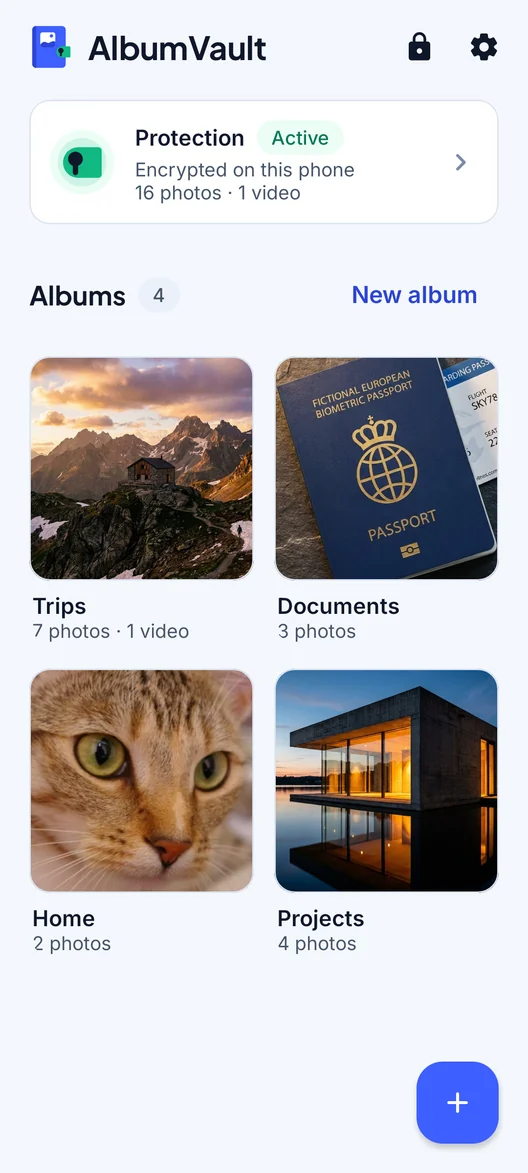
A vault app that encrypts with its own key, separate from your passcode, keeps originals out of the library: out of iCloud Photos, out of Shared Albums, and away from apps with photo access.
What it can’t do:
- Protect the source’s phone. The original, with its metadata, may still be on the sender’s device and in their backups.
- Protect what you share out. Once you send or publish a file, the copy is outside the vault.
- Protect what is on screen, or a phone running malware while the vault is open.
Checklist
- Ask the source to turn off camera location and to send a cleaned file.
- Assume the channel kept all metadata, whichever one they used.
- Turn off Messages > Shared with You > Photos so received photos don’t land in your library.
- Before publishing, strip metadata and blur faces, screens and badges.
- Keep the original apart from your photo library, behind its own key.
- Ask your newsroom’s lawyer about the rules where you work.
Questions
Does WhatsApp remove location data from photos?
We found no official WhatsApp statement on this. A 2025 peer-reviewed test of 10 images found that WhatsApp’s normal image mode lost location and device details, while its document mode kept them. Behavior can change with app versions, so clean the file yourself.
Does sending a photo by email remove its metadata?
Not in the one published test we found. In a 2025 peer-reviewed test of 10 images, files sent as email attachments or over a USB cable kept identical hash values, metadata included. Email services vary, so clean the file yourself.
What is C2PA?
C2PA is an open standard for recording the origin and edits of digital content, branded Content Credentials. In a JPEG it sits in APP11 marker segments. The C2PA specification notes that removing a file’s metadata can separate it from its C2PA record.
How do I stop my iPhone from adding location to new photos?
Go to Settings > Privacy & Security > Location Services > Camera and tap Never. Apple says location metadata can be collected only if the Camera app has access to Location Services.
Sources
13
- Library of Congress: Exif format description
- CIPA: Exif standards
- ExifTool: EXIF tag names
- ExifTool: GPS tag names
- Soni (2025): metadata across image transfer methods, peer-reviewed
- C2PA: Content Credentials
- C2PA Technical Specification 2.2
- Apple Personal Safety User Guide: Manage location metadata in Photos
- iPhone User Guide: Share photos and videos
- Signal Android source: strip EXIF from JPEGs (2018 commit)
- Apple Support: iCloud data security overview
- iPhone User Guide: Delete or hide photos and videos
- Apple Support: How to turn on Advanced Data Protection for iCloud
Keep reading
How to remove location from your photos
Turn off Location in the share sheet, stop the Camera recording where you are, and clean files before you email them.
SituationWhere to keep confidential documents on your phone
A document you photograph lands in your photo library, open to anyone with your passcode. A locked note with its own password is one alternative.
SituationCrossing a border with your phone
US border officers may look through your phone with or without suspicion. The practical preparation is to carry less and follow lawful instructions.